Create Your Xfitconnect Account
Use one personal Xfitconnect account to join clubs, participate in activities, or administer a club. Creating an account does not by itself create a club or complete Organizer Verification.
Recommended: Continue With Google
Google sign-in is the recommended and simplest way to start. Select Continue with Google and choose the Google account you want to use with Xfitconnect.
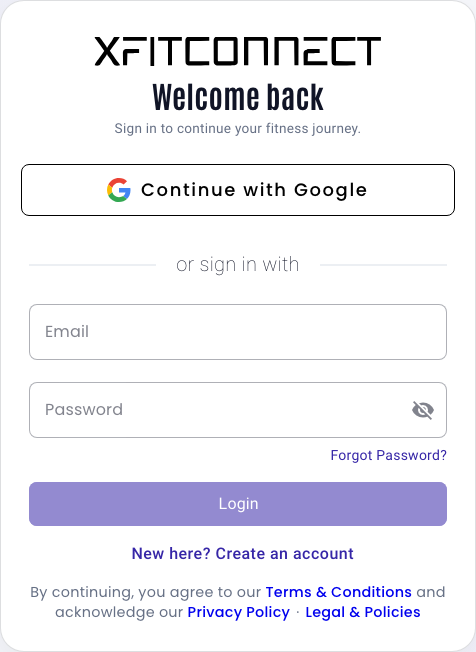
If the email address is not already registered, Xfitconnect creates the account automatically. If it is already registered, the same action signs you in. You do not need to complete the separate registration form or create another Xfitconnect password.
Continue With Apple
Apple sign-in works in the same way: it signs you in to an existing account or creates an account automatically when you are new to Xfitconnect. Follow Apple’s prompts to complete the sign-in.
Register With Email And Password
Use the registration form only if you do not want to sign in with Google or Apple.
- Open Create your account.
- Enter an email address you can access.
- Select Send OTP.
- Enter the OTP sent to that email address.
- Choose a password and enter your first and last name.
- Select Register, then sign in with the new account.
The registration OTP confirms that you control the email address. It cannot be reused for another account, password reset, or Organizer Verification.
Use Your Account As An Organizer
After signing in, open Clubs and create a club. The account that creates the club becomes one of its administrators and can configure the club, create activities, and complete any organizer setup required for paid features.
Your login profile and the club’s organizer identity are different:
- your account identifies the person signing in;
- the club profile is what members see; and
- Organizer Verification identifies the individual or legal entity responsible for eligible paid activities.
One account may administer more than one club. Complete club and organizer details separately for each club.
Keep Your Account Secure
- Do not share an email OTP, password, or verification OTP.
- Use the same sign-in method and account consistently to avoid creating an unintended second account.
- Use Reset password from the login page if you cannot sign in.
- Check that the browser address belongs to Xfitconnect before entering credentials.
- Xfitconnect support will never ask for your password or OTP.
Next Step
Continue with Create And Configure A Club.