Creating A Challenge
Club admins and organizers can create challenges for their community.
Create A Challenge
- Open your club admin area.
- Choose
Create Challenge. - Add the challenge name, description, dates, and activity type.
- Configure participant rules and capacity.
- Choose whether the challenge is free or paid.
- Review and publish when ready.
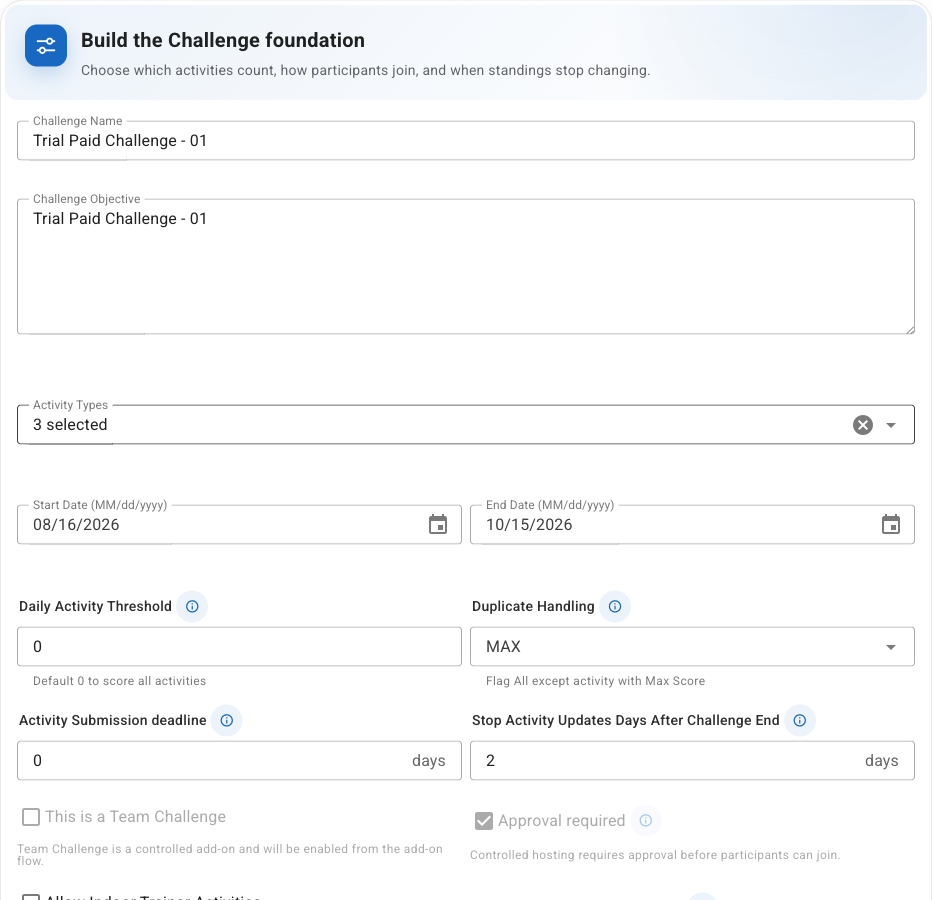
The Details, Scoring, and Goals tabs include contextual help. Help summaries update as settings are changed and use the same units shown in the editor.
Configure Scoring
Use Add Common Rules to start from participation, effort, bonus, balanced-scoring, or quality-check
examples. Selected templates expose only their most useful quick settings before they are added.
See Configuring Challenge Scoring for field explanations and worked examples.
Add Goals And Quests
Use the Goals tab in the challenge editor to add achievements, qualifications, levels, and Quests.
Quests can reward a fixed bonus in addition to the challenge’s normal activity score. Advanced Quest
types, including Multi-Leg Quests, are available only when they are enabled for the organizer and the
challenge’s hosting package.
See Creating Goals And Quests for the complete authoring guide.
Paid Challenges
If your club is enabled for paid challenge features, you may see payment and package options on web.
Native app challenge creation may be limited to free/basic setup depending on your club settings.